Know the deal‑breakers before you read the job.
Heads Up reads every Indeed listing as it opens and puts what matters to you at the top: background checks, travel, low pay, likely scams and anything else you'd rather skip.
No account. No tracking. Works in Canada, the US, the UK and Australia.
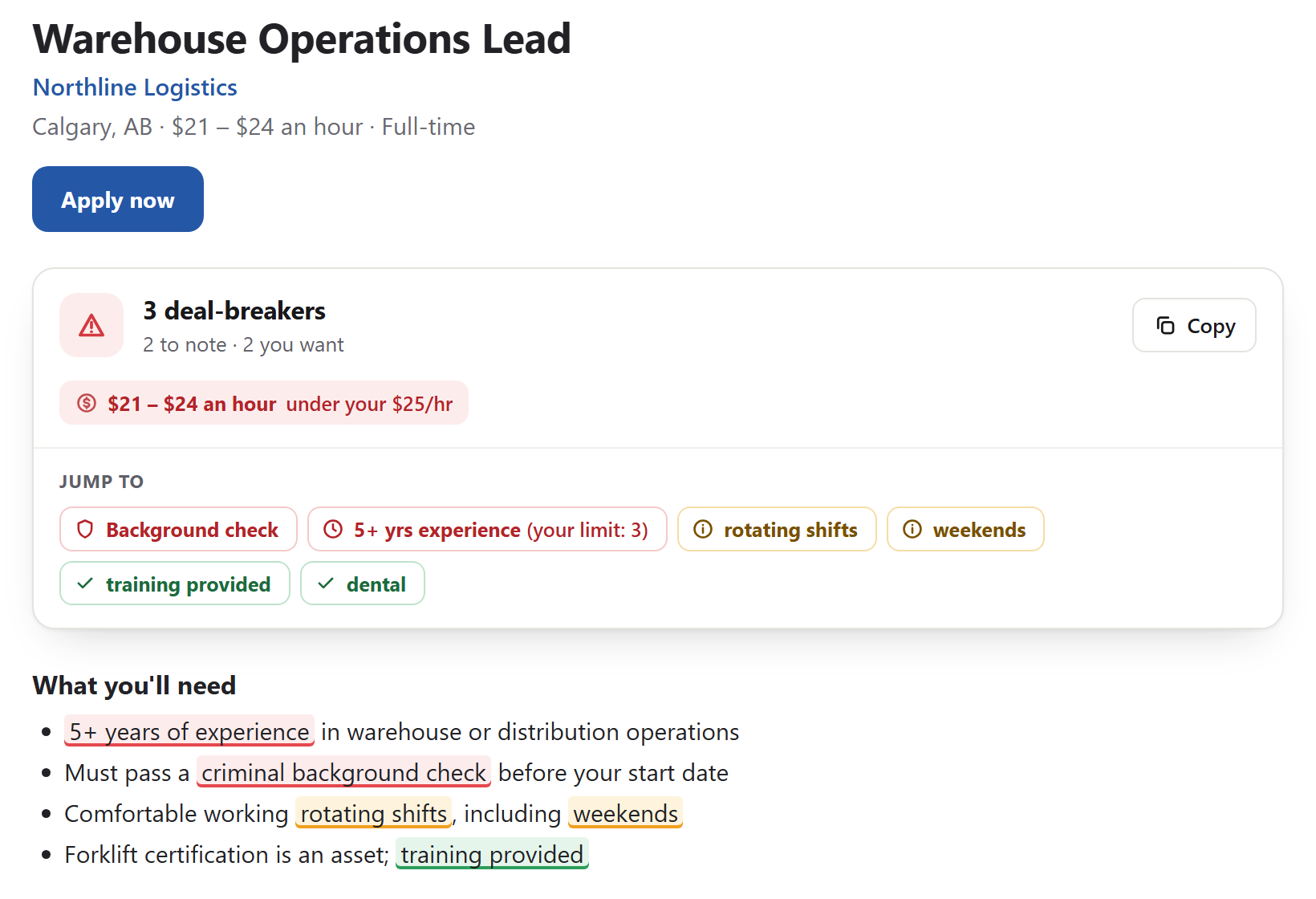
What it catches, before you've read a word
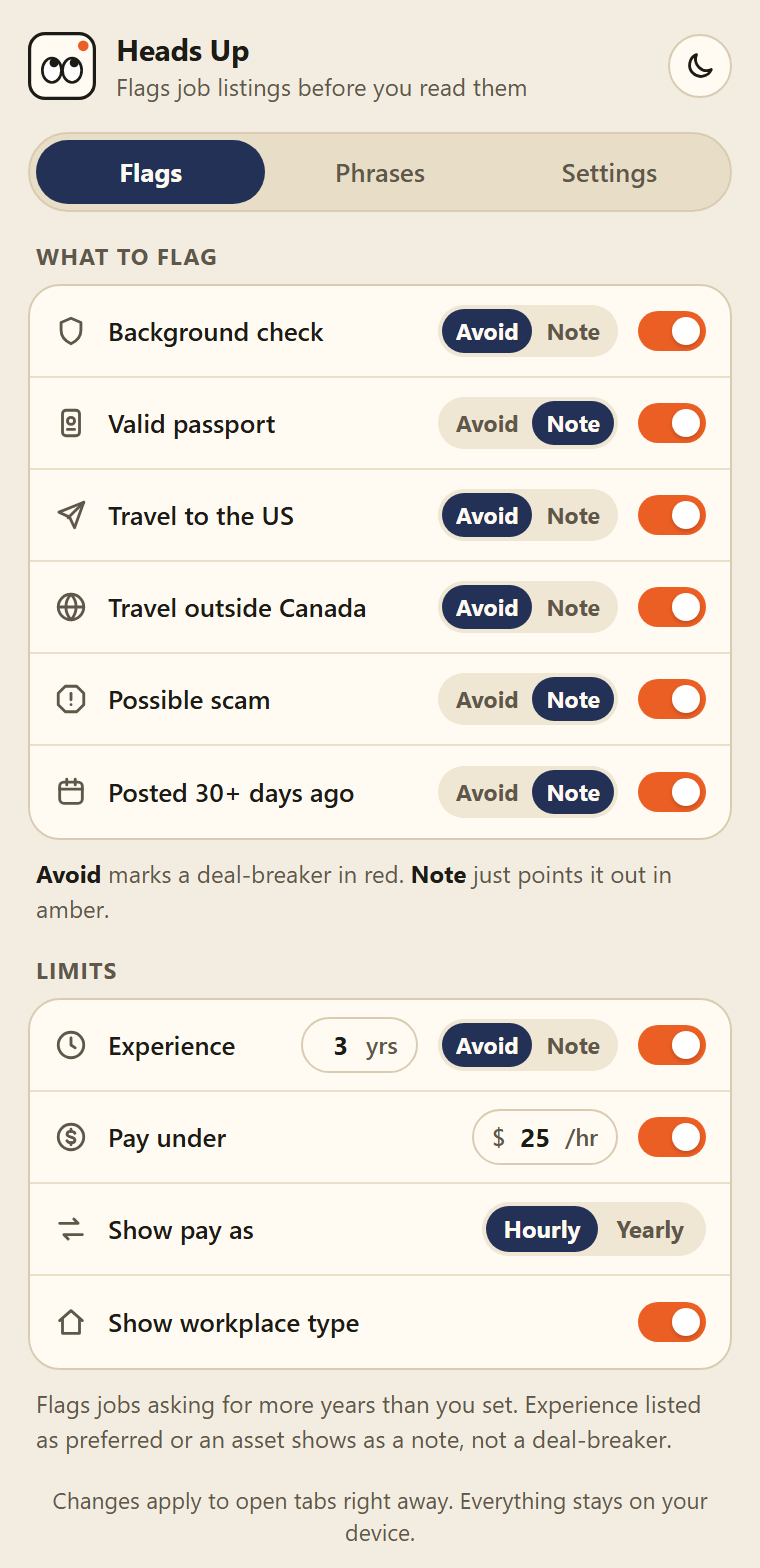
Built-in checks cover the usual surprises. Set each one to Avoid or Note, or switch it off.
Background checks
Criminal record and police checks, but not "no background check needed".
Travel and passports
Cross-border trips, work outside your country, a valid passport.
Experience over your limit
"Preferred" and "an asset" show as a note, not a no.
Pay under your floor
Hourly or yearly, in dollars, pounds or euros.
Likely scams
Chat-app interviews, upfront fees, buy-your-own-equipment.
Old postings
Listings that have been up 30 days or more.
Your own phrases
"Driver's licence", "on-call", "night shift", anything you like.
Remote, hybrid, on-site
Tagged at the top with the pay, so you don't have to dig.
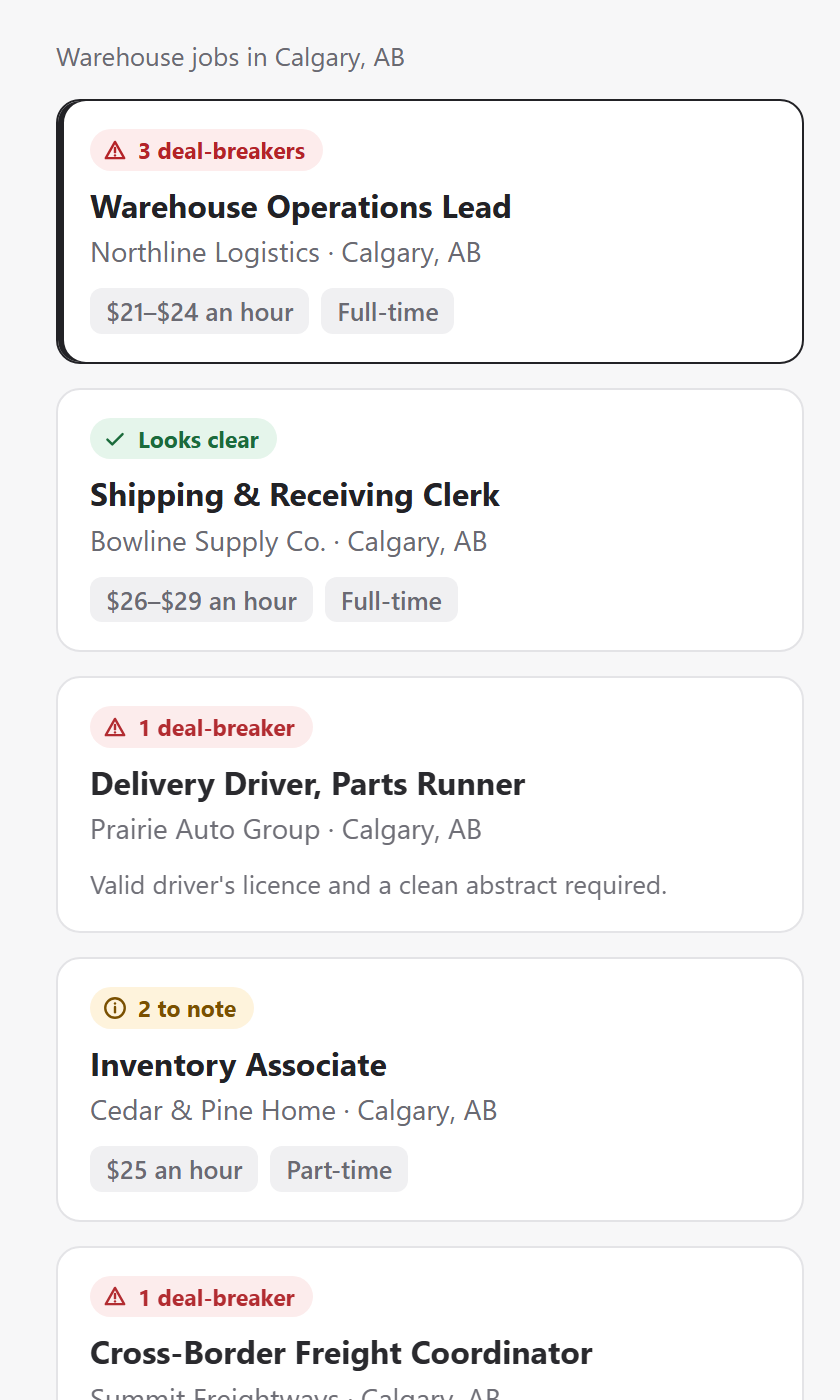
Skip bad fits at a glance
Jobs you've opened keep a badge in the list, so you never re-read a no. Listings with a deal-breaker fade back, and obvious flags in a card's preview show up before you click.
- 3 deal-breakersfades back in the list
- 2 to noteworth a closer look
- Looks clearnothing you told it to avoid
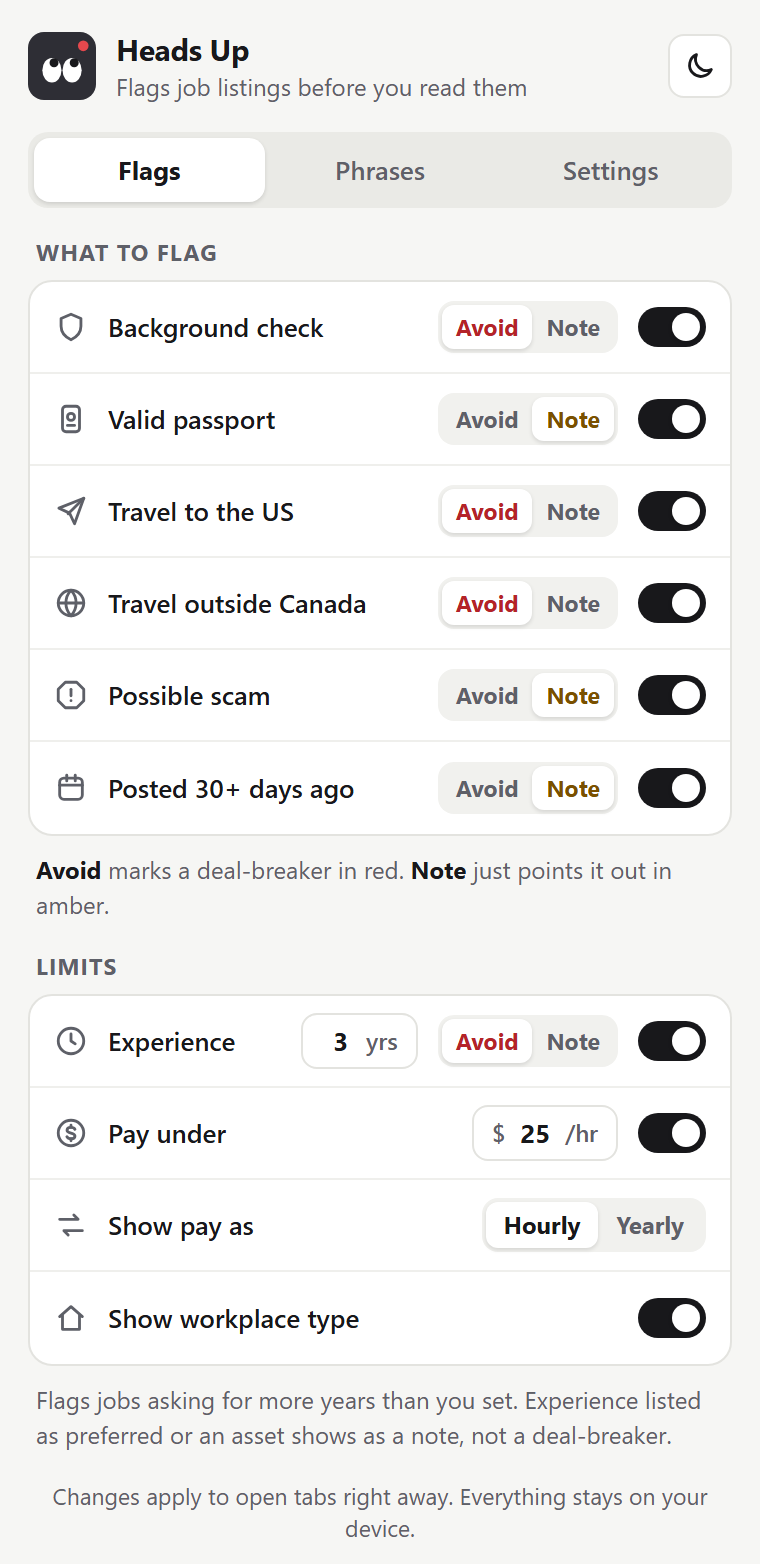
Your deal‑breakers, your rules
A 30-second setup asks where you live, the lowest pay you'd take and what rules a job out. Change any of it later.
- Avoid or Note for every built-in check
- One-tap packs: No car, Nights & weekends, Commission & unpaid, Entry level
- Your own phrases, with regex if you want it
- Backups: save your settings to a file, restore them anywhere
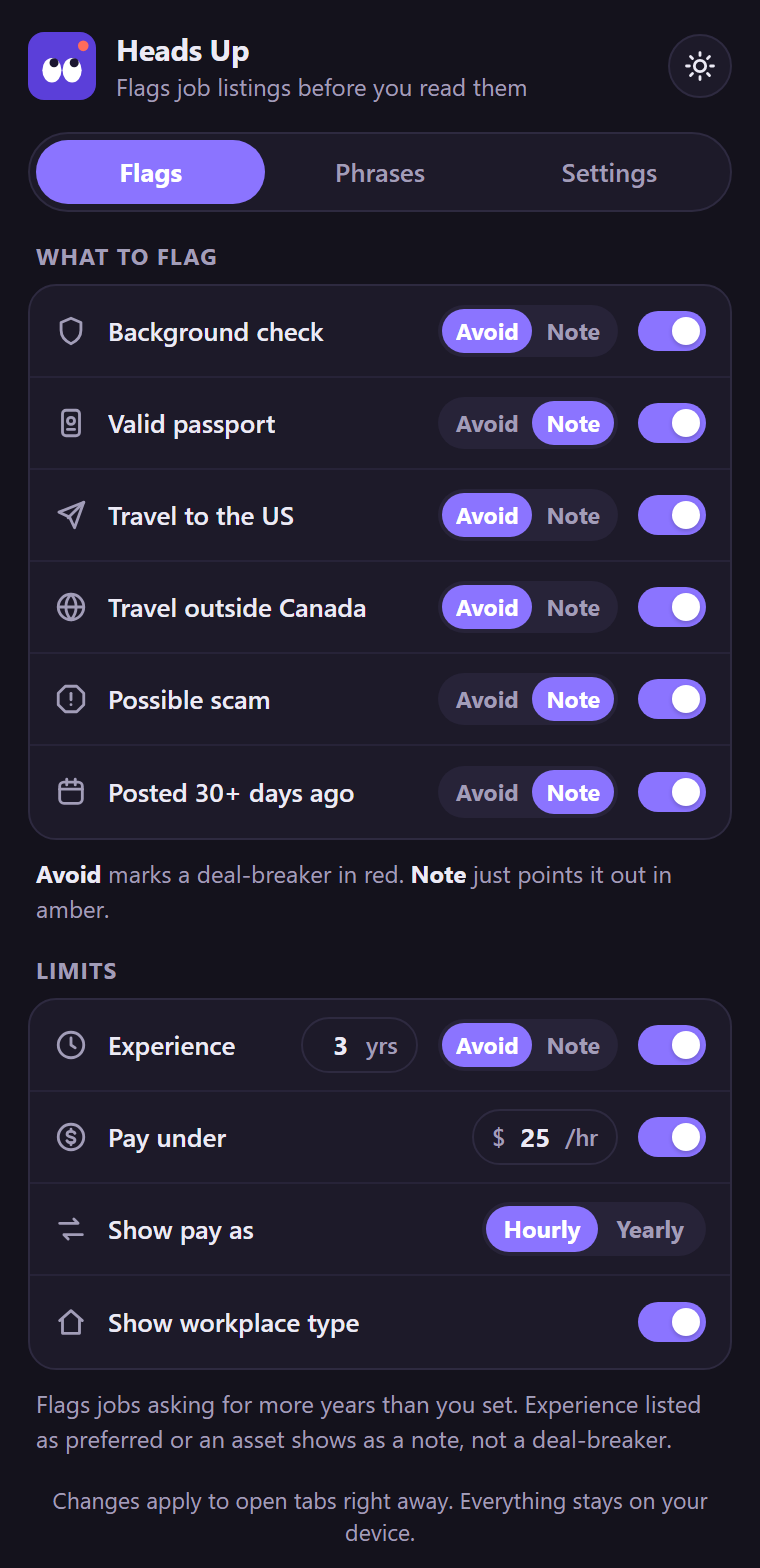
Three themes, light and dark
Ink, Violet and Retro. The popup, the banner on Indeed and the toolbar icon all follow along.
Private by design
Everything happens in your browser. Heads Up never sends listings, settings or anything else to a server, including ours.
Read the privacy policyNo account
Install it and go. No sign-up, no email.
No tracking
No analytics or cookies. Free, for good.
Stays on your device
Settings sync through your own Chrome account.
Questions
Is it really free?
Yes. No paid tier and nothing to upgrade to.
Does it work outside Indeed?
Not yet. It only runs on indeed.com pages, in Canada, the US, the UK and Australia. More job sites are coming soon.
Will it hide jobs from me?
Never. It flags and fades; every listing stays where Indeed put it.
What if I reinstall?
Save a backup from Settings first, then restore it during setup.
Is the scam check a guarantee?
No. It looks for common warning signs, so treat a flag as a reason to look closer.
Something not working?
Email headsup@bonk.tools with the job link and what you expected to see.
Stop reading jobs you'd never take.
Free for Chrome. Coming soon to the Chrome Web Store.

Bonk · Website blocker + focus timer
Block the sites that eat your day, with schedules, daily limits and a Pomodoro timer. No account needed.